🔑 Software keys sent via WhatsApp or E-mail within 24 hours (1 Day) ! ⏳ If not received, Contact us! ! 📬

 Recently Updated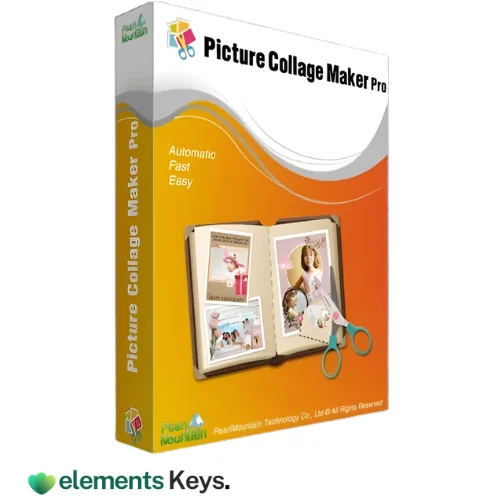
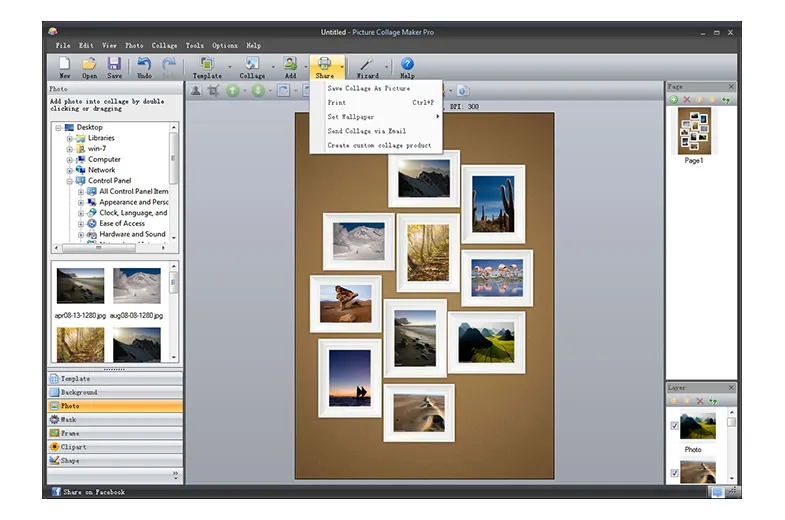
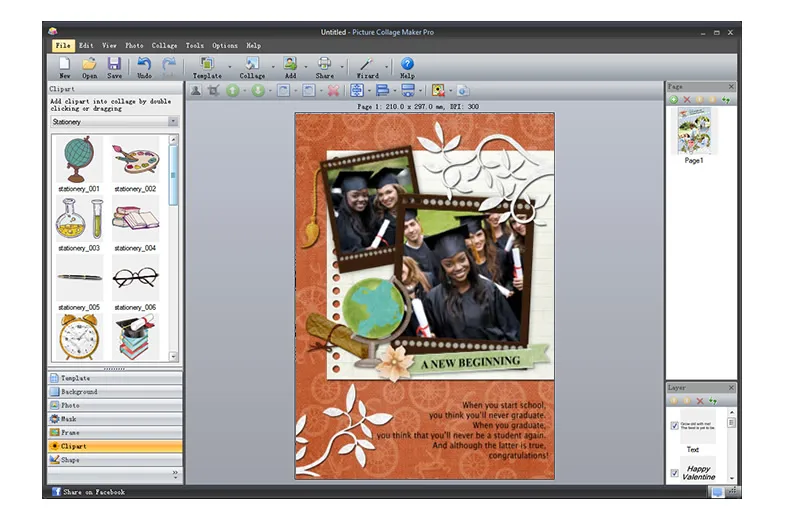
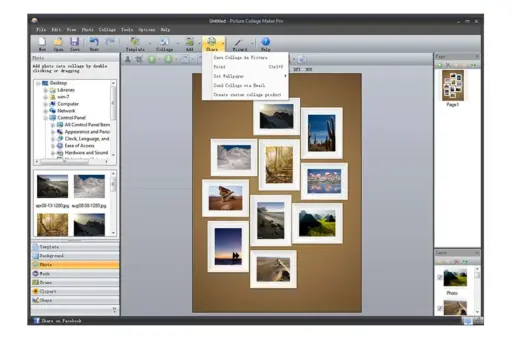


Want an easy way to make beautiful picture collages that works well? With just a few clicks, Picture Collage Maker Pro from PearlMountain gives photographers, hobbyists, and creative workers the tools they need to make beautiful collages. Picture Collage Maker Pro’s easy-to-use interface, customizable templates, and flexible editing options make it simple for anyone to combine pictures, add text, backgrounds, and effects, and make stunning collages, even if they have no design experience.
You can use Picture Collage Maker Pro to make family albums, posts for social media, or unique gifts. It makes your photos stand out by making them clear and creative. To make sure you don’t have to worry about anything, we offer a 30-day money-back promise on all licenses in case the key doesn’t work or you have any other problems with the product. This is because we believe in providing trust and value along with creativity.
At ElementsKeys, we make Picture Collage Maker Pro accessible to everyone. We provide 100% genuine licenses for everyone at the lowest possible prices compared to any other resellers or official.
Key Features
Quick and simple to use
- Picture Collage Maker Pro is easy for new people to understand but flexible for more experienced ones.
- The drag-and-drop feature lets you make a picture right away.
- The WYSIWYG interface lets you see previews of your ideas in real time.
Creative options that are flexible
- Put together collages, scrapbooks, calendars, greeting cards, invitations, signs, and other things.
- Great for birthdays, weddings, baby showers, holidays, or just for fun.
- Make one-of-a-kind drawings that you can enjoy yourself and share with friends or family.
Templates and resources for professionals
- More than 100 collage models with a range of themes and events.
- It has more than 500 design tools, such as frames, masks, and clipart.
- It also has templates for holidays and events like Christmas, Valentine’s Day, Thanksgiving, Easter, Mother’s Day, and more.
Customization Power
- Choose your own paper sizes and layouts, up to A1 and even bigger.
- Just a few clicks are all it takes to move, spin, resize, and crop pictures.
- Complete freedom to put together layouts in a way that shows off your creativity.
Tools for decoration
- To make it look better, add designs and color fills to the background.
- To make images look nicer, use frames, masks, and clip art.
- Add meaningful text captions. You can change things like shadows and angles to make words stick out.
Options for exporting and sharing
- Print your holiday cards, collages, and scrapbooks right away.
- Save work as common image types so you can share them or keep them for later use.
- Make collages that are done into PC wallpapers.
- Email family and friends right away to share.
Why Should You Buy from Us?
When you buy from Elements Keys, you can relax, save money, and save time:
- Real license for life: No payments or extra fees.
- Instant Delivery: License keys are sent right away by email or whatsapp.
- Reasonable Prices: Premium software is available at prices that are comparable.
- Trusted Source: If you want to buy original software, shop from a site you can trust.
- Dedicated Support: If you need help with installation or registration, you can get it.
You don’t just get a product when you buy Elements Keys; you also get security and ease of use, so you can focus on making art instead of worrying about licensing.
Device Requirements
- Operating System: Windows 7, 8, 10, or 11
- Processor: 1 GHz Intel/AMD or faster
- RAM: Minimum 1 GB (2 GB recommended for large projects)
- Storage: At least 300 MB free disk space
- Display: 1024 x 768 resolution or higher
Guide to Redemption
Getting your Picture Collage Maker Pro license to work with Elements Keys is quick and easy:
- Get the program from Elements Keys.
- Get your access key right away by email or whatsapp.
- Go to the PearlMountain website and download the software.
- Put the app on your Windows computer.
- Type in the license key to make the full version work.
That’s it! In minutes, you can start making beautiful collages, scrapbooks, and custom picture art.
Comparison Table
| Feature | Picture Collage Maker Pro | Canva (Free Version) | Adobe Photoshop Elements |
| Ease of Use | Beginner-friendly, drag-and-drop | Easy, but limited offline support | Steeper learning curve |
| Templates | 100+ professional templates | Plenty, but mostly online | Fewer collage-specific templates |
| Art Resources | 500+ (frames, clipart, masks) | Limited in free version | Requires manual customization |
| Offline Usage | Fully offline | Mostly online | Fully offline |
| Custom Paper Sizes (A1 & larger) | Yes | Limited | Limited |
| Sharing Options | Print, email, wallpaper | Cloud sharing | Print, save, email |
Frequently Asked Questions
Can people who have never used design software before use Picture Collage Maker Pro?
Yes! With the drag-and-drop interface and ready-made templates, anyone can make collages that look like they were made by an expert.
Can this software help me make big posters?
Yes. The software lets you make your own sizes up to and including A1, which is great for posters and large pictures.
Does it come with design tools like frames and clipart?
Of course. You’ll get more than 500 built-in tools to make your projects better.

Reviews
Clear filtersThere are no reviews yet.