🔑 Software keys sent via WhatsApp or E-mail within 24 hours (1 Day) ! ⏳ If not received, Contact us! ! 📬

 Recently Updated
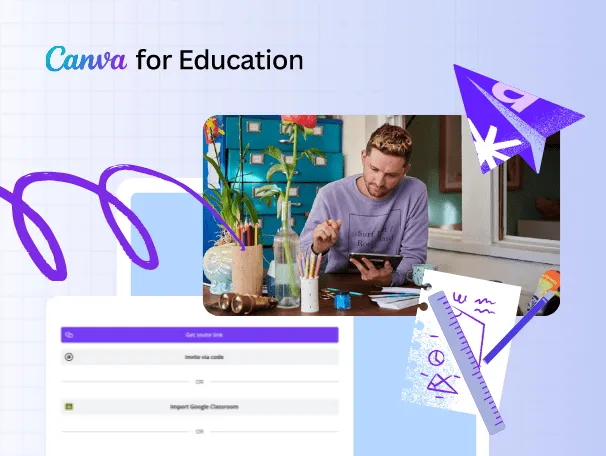


The Canva Education Admin is designed for Schools, Institutions, and teachers who want to provide up to 500 users with lifetime access to all of Canva for Education’s artistic tools. This account allows one administrator to manage up to 500 separate Canva Education accounts. This makes it easy to keep track of kids, teachers, and school teams from a single location.
This plan has everything a school needs to make learning more engaging, visual, and collaborative, including the ability to create custom lesson plans, interesting tasks, and a school logo. You only have to pay once, and then you’ll have premium access to all of Canva Education’s tools forever.
Unlock Canva Education Admin Lifetime with 500 Accounts from Elements Keys. Empower your institution with creative tools, templates, and admin control—delivered via email or WhatsApp.
Key Features:
- Admin Control for 500 Users: You receive one primary User Administrator account that enables you to manage 500 Canva for Education seats. There are easy ways to add, remove, or group users.
- Lifetime Access – One-Time Payment: No monthly or yearly fees apply. Canva Education tools and features are always available to all 500 users.
- Full Access to Premium Templates & Tools: Use Canva’s vast library of lesson plan templates, infographics, presentations, reports, school posters, and design tools powered by AI.
- Real-Time Classroom Collaboration: Teachers and students can work together on shared designs, group projects, or classwork, with teachers providing real-time comments.
- Multi-Format Learning Options: Users can create content in various formats, including videos, posters, slideshows, websites, whiteboards, and more.
- LMS Integration: It works seamlessly with Google Classroom, Microsoft Teams, Moodle, Blackboard, Canvas, Schoology, and other learning management systems, making it simple to share, review, and submit assignments.
- Canva for the Entire Campus: This plan enables collaboration across different areas, making it ideal for branding, documentation, internal communication, and curriculum design.
- Build Critical Student Skills: Encourage students to explore their creativity and critical thinking by expressing their thoughts in various forms.
- Exclusive Resources and Communities: You can share, learn, and make money from your educational templates in the Canva Teachers Community and the Education Creators program.
Why Buy From Us?
- Trusted Digital Partner: We offer approved accounts that are already set up and have verified access.
- Lifetime Investment: No extensions or extra costs. You only have to pay once to get entry for a Lifetime.
- Expert Support: Our team can assist you with everything, from setup to integration into the classroom.
- Bulk Account Management: We help you quickly and cheaply increase the creative power of your school.
Device Requirements:
- Operating System Compatibility:
- Windows 10 and above
- macOS 10.13 or newer
- iOS/iPadOS 14 and above
- Android 9.0 and above
- Chrome OS (Chromebooks supported)
- Browser Support:
- Chrome (recommended)
- Safari
- Firefox
- Edge
- Internet Required: An internet connection is needed to log in and use Canva. Some limited features are available offline on the mobile app.
Redemption Guide:
After you buy, your Canva Education Admin 500 Account will only be sent to you via WhatsApp or email. No shipping or activation code is needed.
How to Redeem and Activate Your License:
- Place Your Order: Use the correct email address or WhatsApp number to complete the checkout process.
- Receive Access Credentials: Your Admin login information will be sent to you via WhatsApp or email in a few minutes.
- Sign in: Go to www.canva.com and use the master account to log in.
- Invite Users (up to 500): You can add or invite up to 500 people to your Canva for Education team from your homepage.
- Start Designing: You can utilise all the classroom features, teaching tools, templates, and LMS integrations you desire.
- Need Help: Our support team can assist with setup, training, and user management via WhatsApp or email.
Comparison Table:
| Feature | Canva Free | Canva Pro | Canva Education Admin 500 (Lifetime) |
| User Limit | 1 | 1 | 500 users (admin controlled) |
| Premium Templates & Content | No | Yes | Yes |
| Education-Specific Tools | No | Limited | Full Access |
| Real-Time Collaboration | Limited | Yes | Yes |
| LMS Integration | No | Limited | Yes |
| Lifetime Validity | No | No | Yes |
| Admin User Control | No | No | Yes |
| Ideal For | Individuals | Creators | Schools, Educators, Institutions |
FAQs
What exactly is included in this package?
You will be given one Canva Admin account that lets you oversee up to 500 Canva for Education users. Canva’s premium education tools are available to all users for life.
Can I use my school email to sign up?
This is a private administrator account that is already set up and doesn’t need a school name. It’s ideal for organisations that want to manage who can use Canva without needing to wait for permission.
Do students and teachers get the same features?
Yes. The 500 users will all have access to the same set of Canva Education tools, including themes, collaboration tools, and integration options with other systems.
Is there any renewal fee later?
Not at all. This is a one-time payment. All features will always function properly.


Reviews
Clear filtersThere are no reviews yet.