🔑 Software keys sent via WhatsApp or E-mail within 24 hours (1 Day) ! ⏳ If not received, Contact us! ! 📬
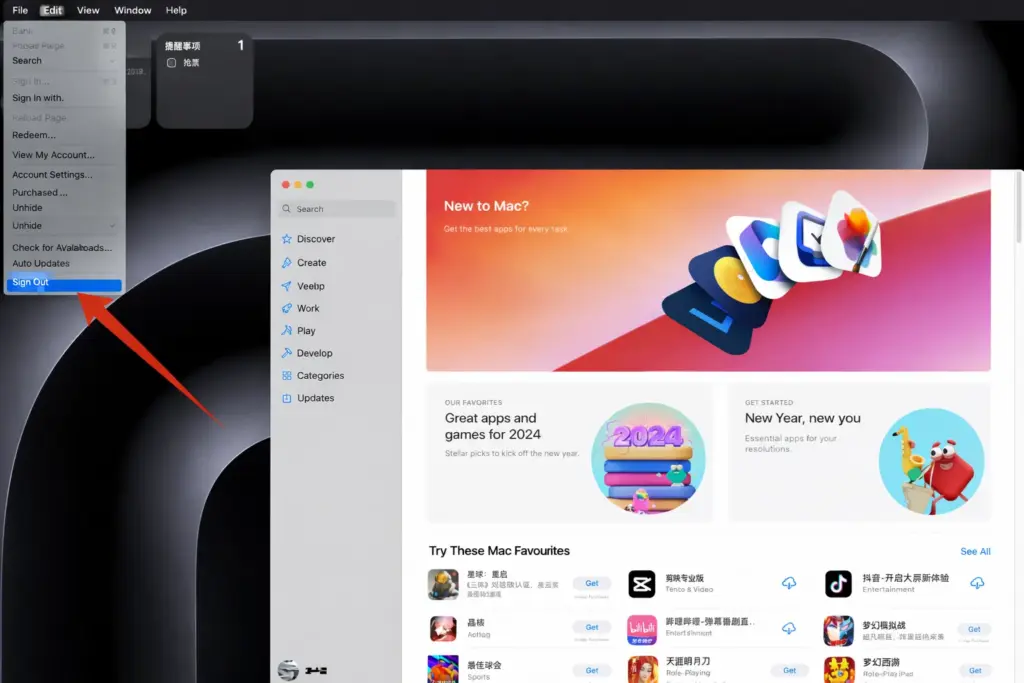
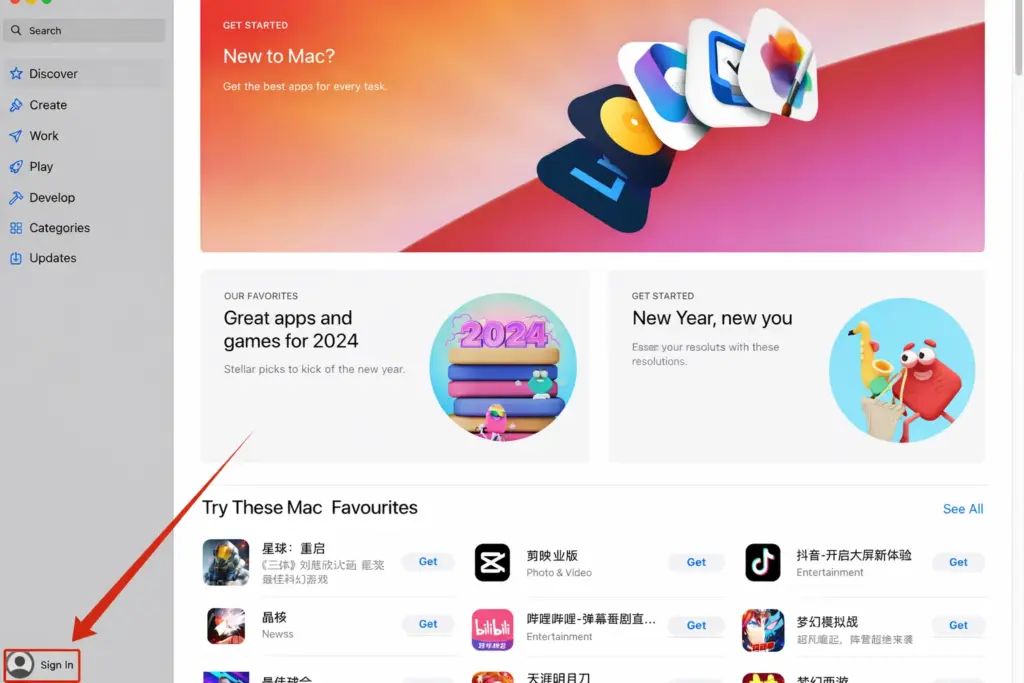
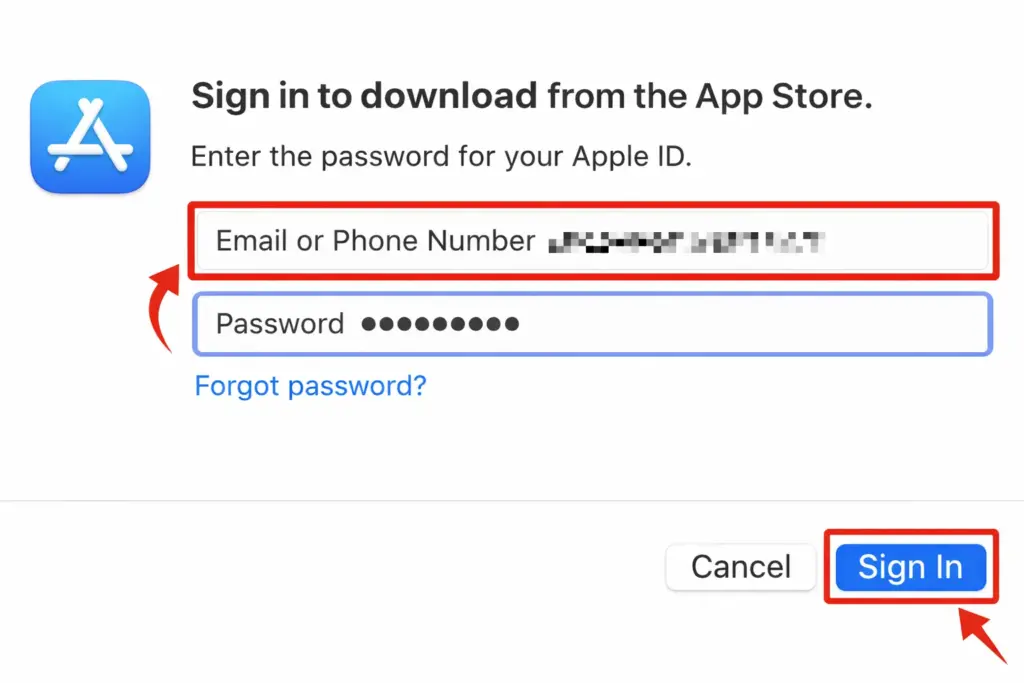
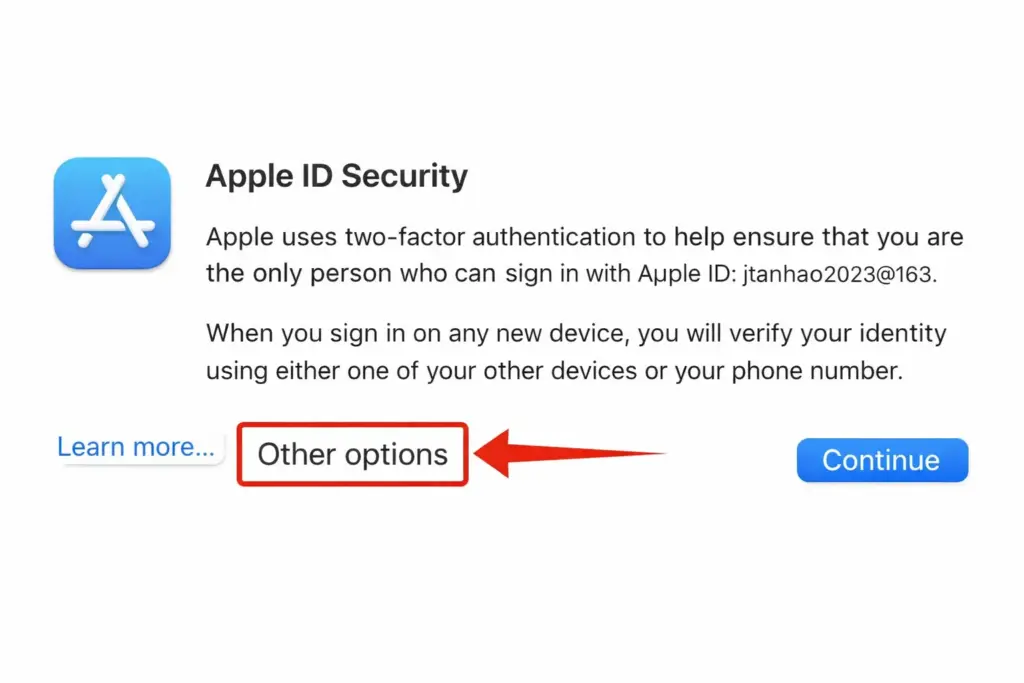
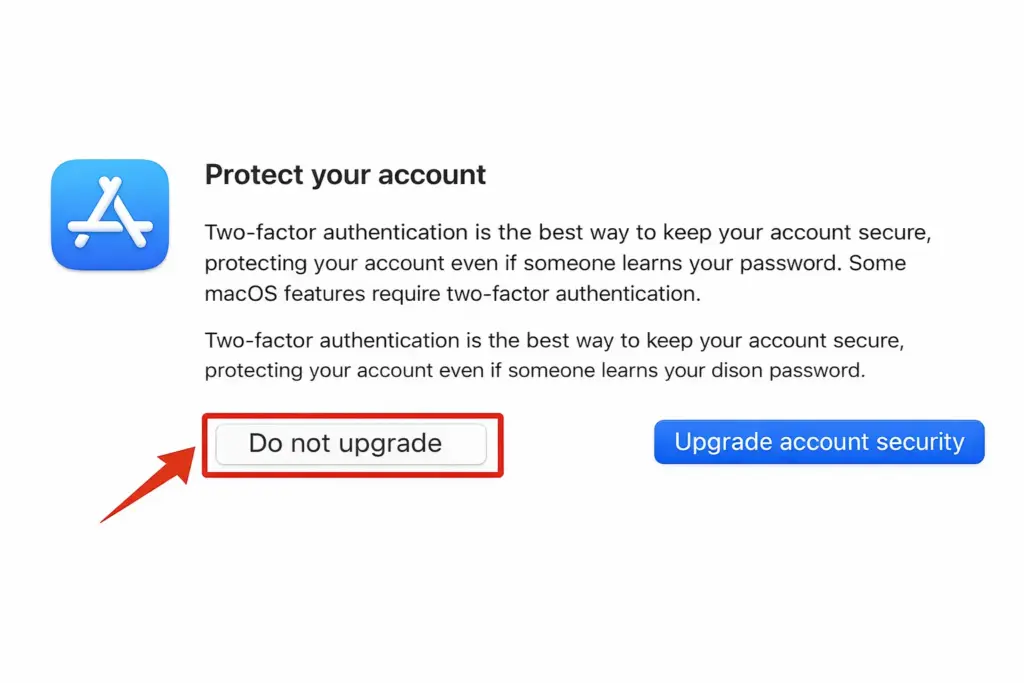
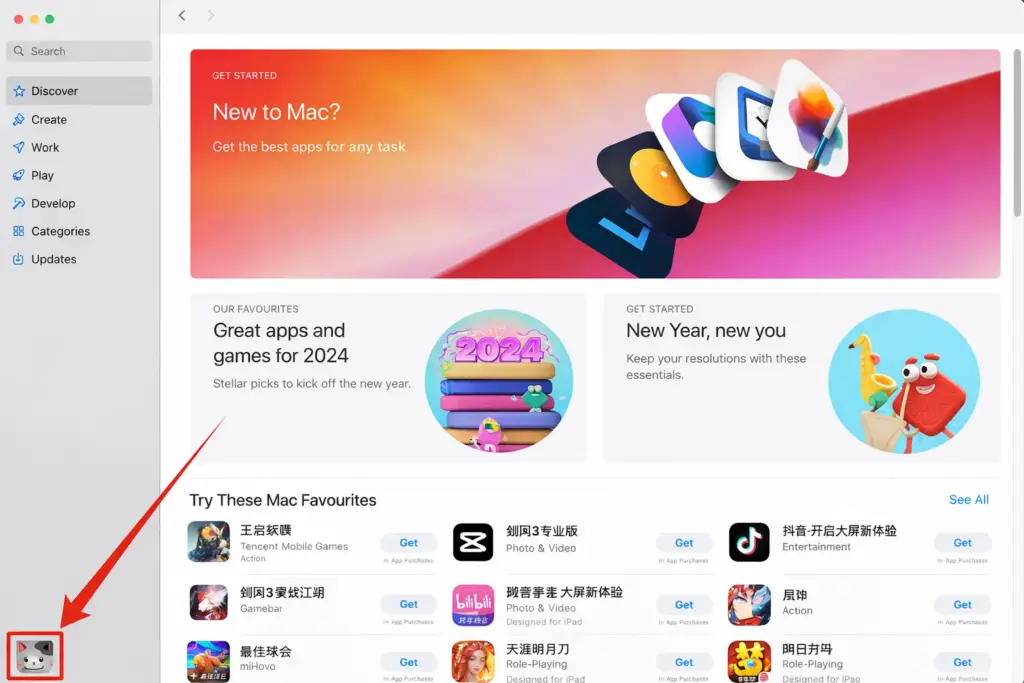
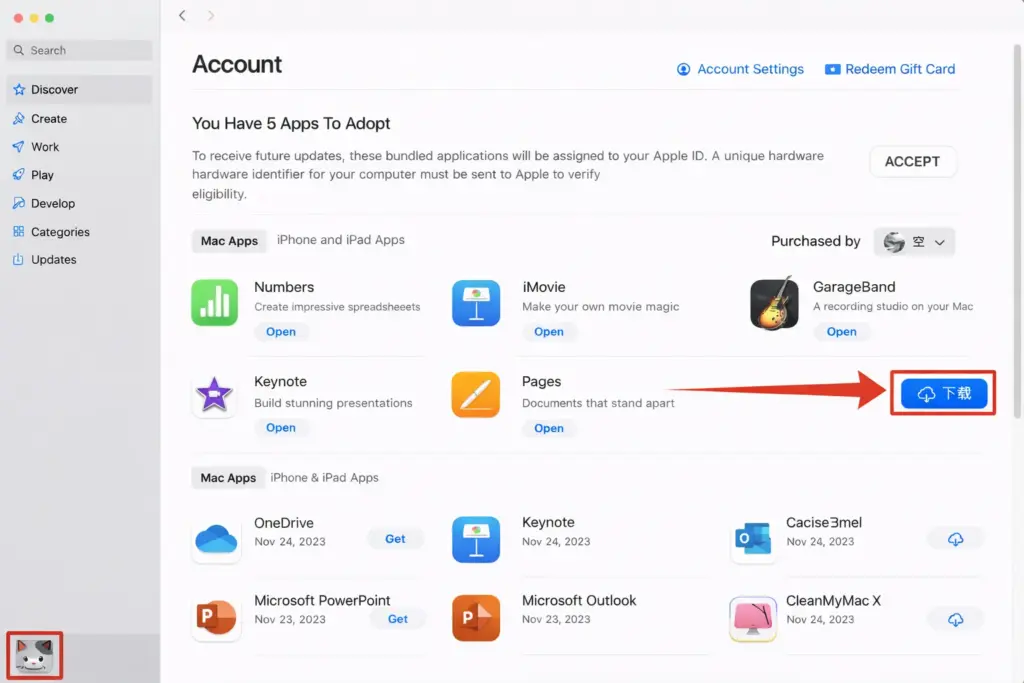
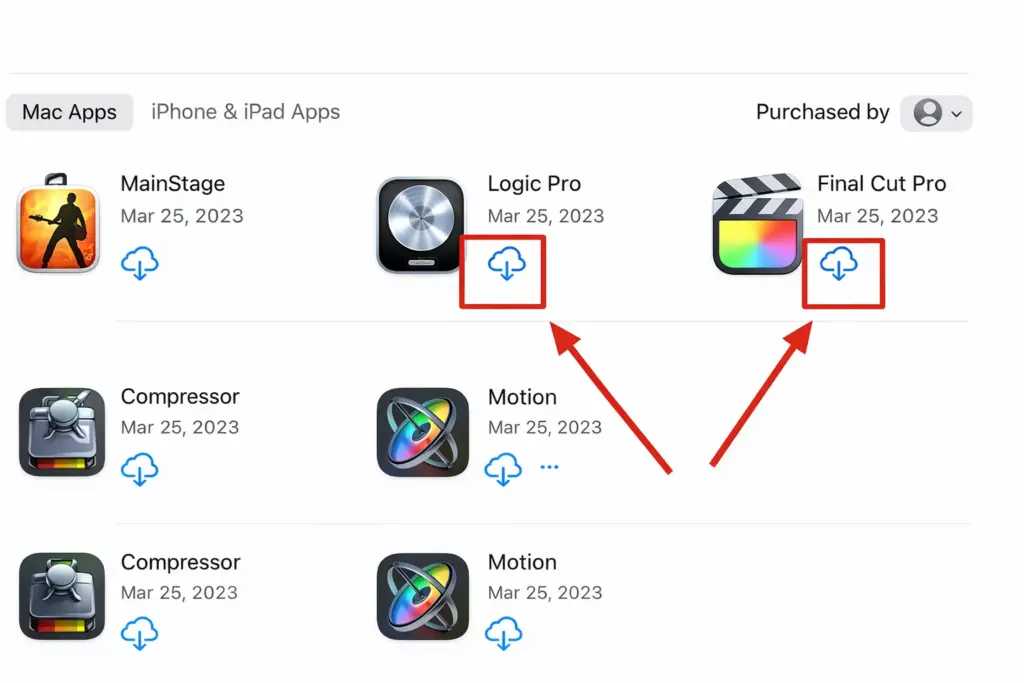
Final Cut Pro X/Logic Pro X Apple ID Account Download 1 Mac Activation Step


No account yet?
Create an Account