🔑 Software keys sent via WhatsApp or E-mail within 24 hours (1 Day) ! ⏳ If not received, Contact us! ! 📬

 Recently Updated
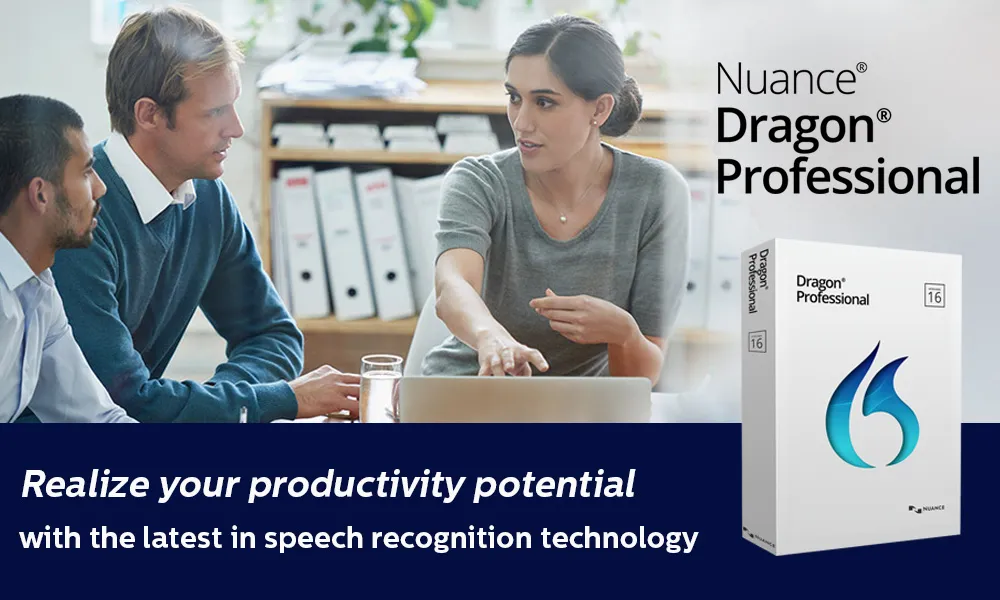


The Dragon Professional V16 Nuance has high-end speech recognition/dictation software, designed for professionals, businesses, and knowledge workers, which only require more than basic dictation. With tools for deep learning-based speech engines, strong transcription features, strong voice command customization, and enterprise management, it helps in reducing paperwork, speeding up, and automating repetitive functions. It is adapted to the modern Windows environment (including Windows 11) and is designed for an environment where accuracy, efficiency, and reliability are essential.
Product Overview:
The top-level speech of the Dragon Professional V16 Nuance is a dictation software for recognition and Windows, designed for professionals, organizations, and users who require powerful, accurate voice-to-text equipment. This is designed to determine the documents, to control your computer by voice, transfer audio recording, and save time by automating repeating tasks.
With strong support for recent operating systems (especially Windows 11), high accuracy from first use, and adaptability for noise or diverse work environments, Dragon Professional V16 aims to provide efficiency and productivity in offices, legal, healthcare, education, customer service, and any field with heavy documents.
Key Features:
- From the beginning, very high accuracy, even with accents or in a slightly noisy environment.
- Windows for modern hardware works with Windows 11 (and Windows 10).
- Deep learning speech engine that improves over time – reduces your voice, vocabulary, and environment.
- Supports both live dictation and transcription of pre-recorded audio files (single speakers).
- You allow you to create custom voice commands, macros, and boilerplate text (auto-tex) to speed up repetitive tasks.
- Advanced vocabulary adaptation: Add your own terms, identical, industry-specific words; Share the word list.
- Batch audio transcription via folder-venture tools (eg, auto transcribable folder agent).
- Good support for accessibility: Multi-monitor mouse grid, “Play the Back” Playback of Dinned Text, Voice-based Control of Commands.
- Integration for enterprise purinogen: Central management equipment for deployment, monitoring, command/adaptation sharing among users.
- Professional-grade external devices (eg, pavoric), touchscreen, and support for hybrid/mobile workflow.
Why Buy From Us?
- 100% real software – Authentic Dragon Professional V16 license with complete features and reliable activation.
- One-time purchase, hidden fees, or recurring cost is a lump sum.
- Instant Digital delivery – Get your download link and license key within minutes of purchase.
- Competitive pricing – professional software at cheaper rates compared to retail.
- Safe checkout-anxiety-free shopping, and safe, encrypted payment methods.
- Expert support-when you need it, installation, activation, and step-by-step aid with setup.
- Reliable sellers – a proven record of providing quality software and excellent customer service.
Redemption Guide:
- Complete your purchase- after checkout, you will get an email with your license key and download link.
- Check your email – see delivery email in your inbox (and if necessary, spam/junk folder).
- Download the installer – Use a safe link provided to download the Dragon Professional V16 setup file.
- Prepare your system – make sure your Windows PC meets the minimum system requirements and closes all unnecessary applications.
- Run the installer-double-click on the setup file, and follow the directed installation stages.
- Enter your license key – When indicated, enter your unique activation code to unlock the software.
- Full installation – allow the process to eliminate and restart the process if necessary.
- Microphone setup-survive recognition use the built-in wizard to configure your microphone for accuracy.
- Create a user profile – personalize the dragon with your voice profiles so that it learns your speaking style and vocabulary.
- Start dictating and transcribing – Open your favorite application and start to dictate, transcribe, and control your PC with voice using the Dragon Professional V16.
Comparison Table:
|
Feature |
Dragon Pro v16 |
Otter.ai |
Google Speech-to-Text |
|
Accuracy |
Very high (≈99%), adapts to user voice, supports custom vocab |
Good for general use, less accurate with technical terms |
High, supports many languages, strong for general speech |
|
Offline Use |
Yes, runs locally after activation |
No, requires internet |
No, fully cloud-based |
|
Multi-Speaker Support |
Focused on single speaker, audio file transcription |
Strong meeting transcription with speaker labels |
Possible with API integration |
|
Customization |
Advanced macros, workflows, custom commands |
Limited customization |
Customization via developer API |
|
Integration |
Works with MS Office, email, enterprise tools |
Syncs with Zoom, Google Meet, MS Teams |
Integrates into apps via API |
|
Privacy & Control |
Local processing, stronger data security |
Data stored on Otter’s cloud servers |
Data processed in Google Cloud |
|
Ease of Use |
Requires setup & training, but powerful once configured |
Very easy, minimal setup |
Requires coding/technical setup |
|
Cost Model |
One-time purchase, higher upfront |
Subscription-based |
Pay-as-you-go (usage fees) |
|
Best For |
Professionals needing accuracy, offline control, and custom workflows |
Teams, meetings, collaboration & note-taking |
Developers, large-scale apps, multi-language needs |
Frequently Asked Questions
Do I need internet to use Dragon Professional V16?
Once established and active, the dragon works offline, giving you complete control over your data.
Can the Dragon Professional V16 Translate audio files?
Yes. It can translate pre-recorded single-speaker audio files and even supports batch transcription.
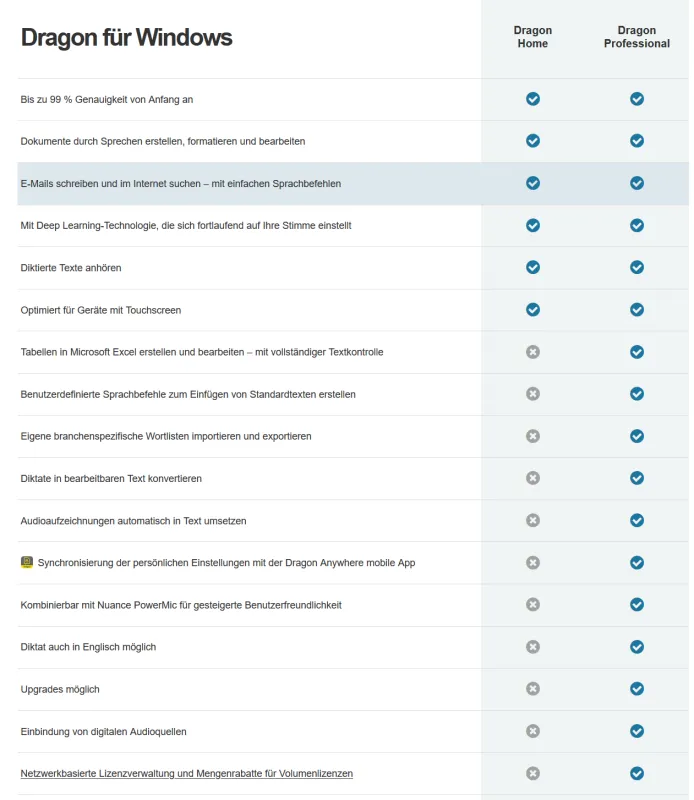
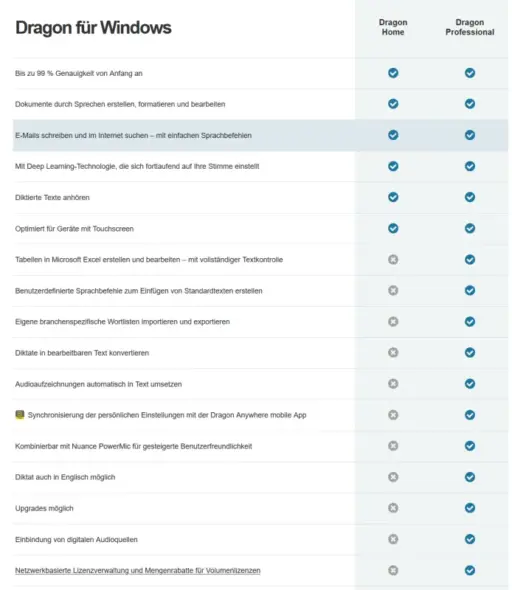
What makes Dragon professionally different from Dragon Home?
Dragon Professional provides advanced adaptation, transcription equipment, enterprise purinogen options, and offline controls – not available in the home edition.
Why should I buy the element key?
The element key offers 100% actual license, instant delivery, safe checkout, and dedicated customer aid at competitive prices.


Reviews
Clear filtersThere are no reviews yet.