🔑 Software keys sent via WhatsApp or E-mail within 24 hours (1 Day) ! ⏳ If not received, Contact us! ! 📬

 Recently Updated


Product Overview
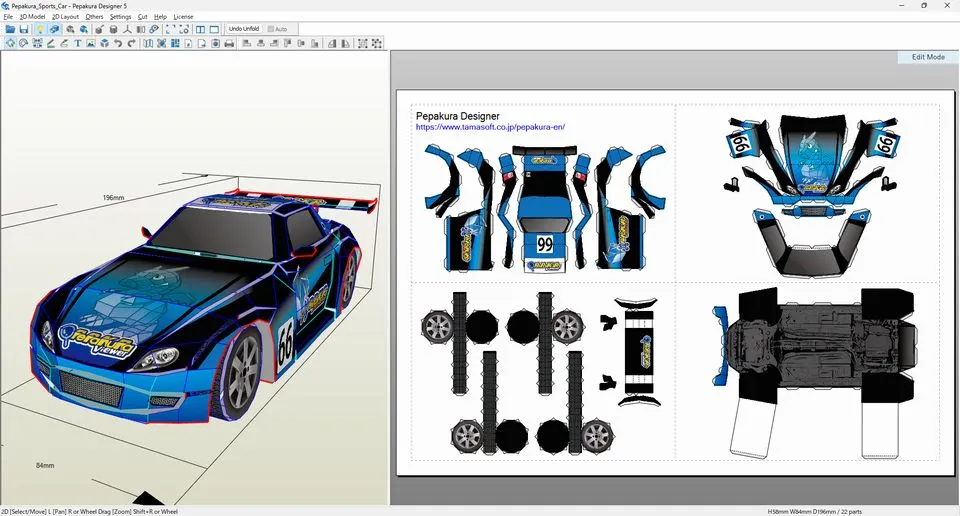
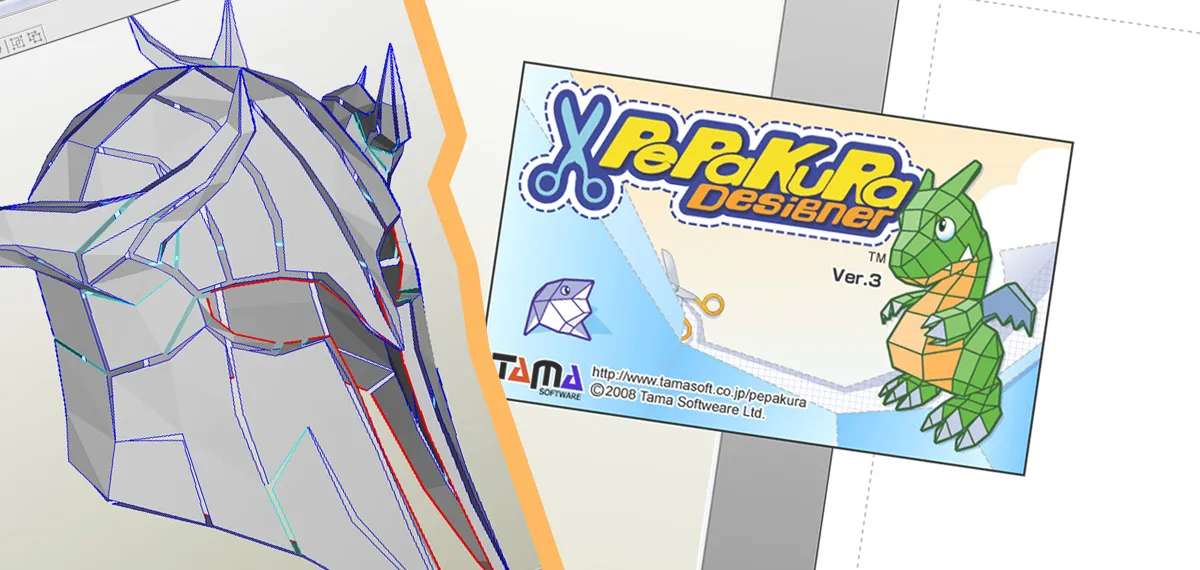
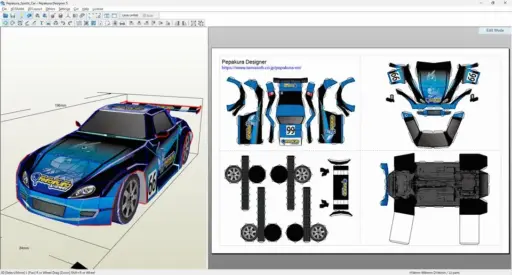
Looking for the best way to turn your 3D models into detailed plans for paper crafts? Pepakura Designer is The Gateway from 3D to Paper Artistry that lets pros, artists, students, and hobbyists turn digital 3D data into printable templates that are simple to fold, cut, and put together. Pepakura Designer’s easy-to-use interface and exact layout options make making papercraft models fun and quick, no matter how skilled you are.
Pepakura Designer helps you make your digital designs come to life in the real world, whether you’re making cosplay armor, building prototypes, educational projects, or custom creative designs. To make sure you don’t have to worry about anything, we offer a 30-day money-back promise on all licenses in case the key doesn’t work or you have any other problems with the product. We value your trust as much as your creativity.
At ElementsKeys, we make Pepakura Designer accessible to everyone. We provide 100% genuine licenses for everyone at the lowest possible prices compared to any other resellers or official.
Key Features
Easy Conversion from 3D to 2D: Pepakura Designer can turn complicated 3D models into ready-to-build 2D templates with just one click. This saves hours of work and makes sure the work is done correctly.
Seamless Tools for Editing: You can move parts around, change their sizes, and make them work better for printing. You have full control over the layout of your model because the program lets you change the fold lines, flaps, and orientations.
Dressing up and making props: Pepakura Designer is loved by cosplayers because it can make digital armor, guns, and accessories into templates that can be built upon. If you have the right materials, it’s easy to make props that will last and look real.
Ability to work with cutting machines: Pepakura Designer works with well-known cutting tools like Silhouette CAMEO, so your printed patterns can be cut automatically. This will make sure that the edges are smooth, save time, and improve accuracy.
Wide Range of Creative Uses: This software can be used for a lot of different things, from teaching projects that let students learn by doing to making architectural models and even fine art installations.
Lots of options for printing: If you want to print your drawings anywhere, you can export them as PDF or image files. You can change the size of the models to fit your needs.
Why Should You Buy from Us?
You get more than just a software license when you buy Pepakura Designer from Elements Keys. You also get peace of mind:
- Genuine Lifetime License: This license is 100% real and can be used forever.
- Instant Delivery: You get your license key right away through WhatsApp or email.
- Reasonably priced: We keep our prices low so that professional tools can be used by everyone.
- Full Support: Our team is here to help you with installation or fixing problems.
- Trusted Platform: Elements Keys has made a name for itself as a trustworthy place to get high-quality digital tools.
- If you choose us, your investment will be safe, and your creative journey will start off easily.
Device Requirements
Before purchasing, ensure your device meets these requirements for smooth performance:
- Operating System: Windows 7, 8, 10, or 11 (32-bit and 64-bit supported)
- Processor: Intel/AMD Dual-Core or higher
- RAM: Minimum 2 GB (4 GB recommended for complex models)
- Storage: 200 MB of available disk space
Additional Needs: Printer (for pattern printing) or compatible cutting machine
Guide to Redemption
There are easy and quick ways to start using Pepakura Designer with Elements Keys:
- Go to Elements Keys and buy Pepakura Designer.
- Get your license key right away by email or WhatsApp.
- Go to the main website and get Pepakura Designer.
- Enter the license key during setup to install and activate.
- Start turning your 3D ideas into works of art made out of paper.
You don’t have to wait for packages to arrive before you can start being creative.
Comparison Table
| Feature | Pepakura Designer | Blender (with plugins) | SketchUp (basic version) |
| 3D to 2D Unfolding | Yes, with one-click unfolding | Requires add-ons, not seamless | Limited unfolding functionality |
| Ease of Use | Intuitive, beginner-friendly | Steeper learning curve | Moderate, aimed at 3D modeling |
| Cosplay & Prop Applications | Excellent – widely used in cosplay | Rarely used for cosplay | Limited to architectural layouts |
| Cutting Machine Compatibility | Direct support for Silhouette, etc. | Needs third-party setup | No direct support |
| Focus Area | Papercraft & 3D model conversion | General 3D modeling and animation | Architecture & 3D drafting |
Frequently Asked Questions
Can I use Pepakura Designer even though I have never done 3D drawing before?
Yes. Online sources let you get free 3D models that you can then use right away to make papercraft templates.
Does Pepakura Designer work with Mac OS X?
It’s only available for Windows right now. Emulation or virtual machine software can be used by Mac users to run it.
How about A4 paper? Can I print plans on that?
Of course. Letter- or A4-sized paper works fine, but heavier cardboard is better for models that will last longer.


Reviews
Clear filtersThere are no reviews yet.