🔑 Software keys sent via WhatsApp or E-mail within 24 hours (1 Day) ! ⏳ If not received, Contact us! ! 📬


 Recently Updated
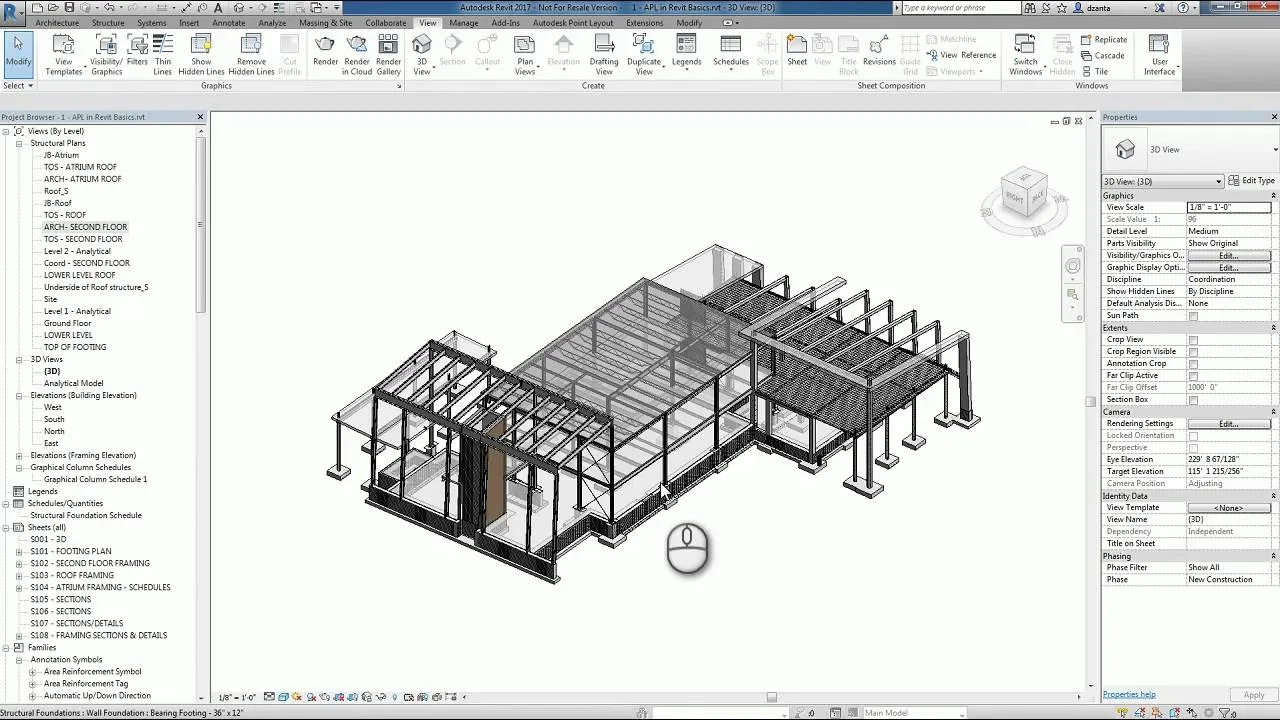
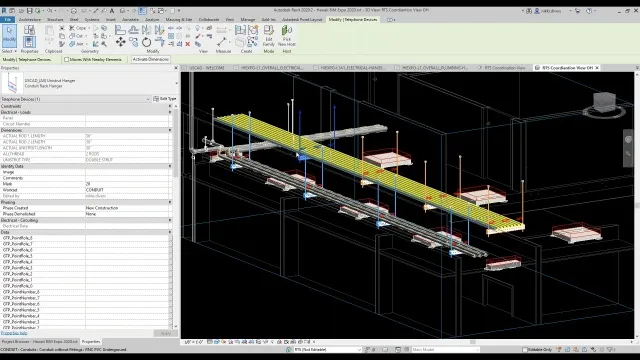
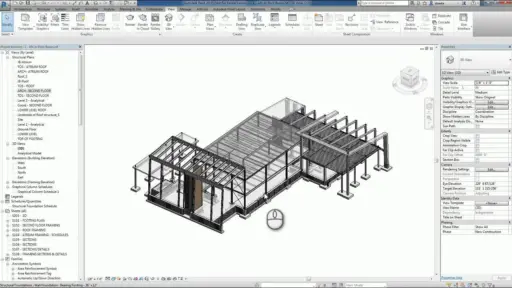
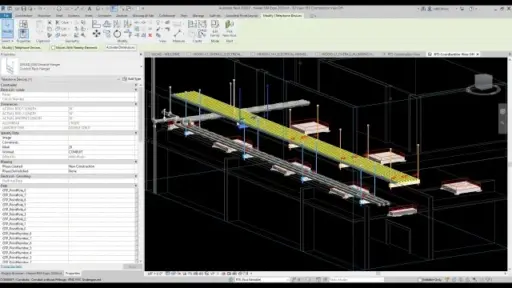


Autodesk Point Layout is a manufacturing layout software that enables users to create and manage an accurate layout point within a familiar design environment, such as AutoCAD, Revit, and Navisworks. This streamlines the process of transferring BIM data to the field, allowing accurate placement of elements such as walls, anchors, hangers, and MEP components. By automating point construction and enabling direct integration with robot total stations, the software reduces manual errors, increases efficiency on the site, and ensures alignment between digital models and physical construction. Ideal for contractors, engineers, and BIM professionals helps to bridge the gap between Autodesk point layout design and field execution, making it a valuable tool for modern construction workflows.
Key Features:
- Automatic point construction: Autodesk Revit, AutoCAD, and Navisworks automatically generate layout points from the BIM model.
- Model-to-field integration: Transfer point data originally from the design model for the exact on-site layout to the field device.
- Real-time accuracy: Reduce manual errors by ensuring the exact position of structural elements, walls, anchors, and pipes.
- Field data imports: Easily bring back the data collected from the field in the model for verification and clash detection.
- Multi-software compatibility: Revit for skilled workflows integrates with major Autodesk tools such as Autodesk AutoCAD and Navisworks.
- Better cooperation: Using an integrated data environment supports coordination between project managers, designers, and field teams.
- Flexible access: Mac (via Windows virtual) with activation up to three devices is licensed for both PCs.
- Extended Membership Benefits: Current and three previous versions of software include updates, enhancements, and access.
Why Buy From Us?
- Real Software Guarantee: We provide a 100% authentic Autodesk license with full membership benefits.
- Competitive pricing: Get the best price with an exclusive proposal and an exemption on the commercial license.
- Expert support: Our team guides you through installation, activation, and technical setup.
- Flexible Payment Options: Choose from many safe payment methods to suit your convenience.
- After-sales service: Benefits with the help provided during your membership period.
- Reliable reseller: We are a reliable and authorized Autodesk partner with a proven track record.
Redemption Guide:
Your license details and installation instructions for Autodesk Point Layout will be sent to you via WhatsApp or email after you buy it from Elements Keys.
Step-by-Step Instructions for Activation:
- Check your email or WhatsApp: The license details will be sent via Email or WhatsApp. Please share your registered Autodesk email with us so we can assign the license directly to your account.
- Download the software: Select the version (2023, 2024, 2025, 2026, or 2027) that is compatible with your Mac/PC.
- Install Point Layout: To run the software, follow the on-screen instructions.
- Activation: Log in with your Autodesk credentials to activate the Autodesk Software.
- Start using the software: Your subscription is valid for 1 & 3 years from the date it is enabled.
Our support team is available to assist you at any time if you need help.
Comparison Table:
| Feature | Autodesk Point Layout | Revit + Field Tools | Manual Layout Workflow |
| Point Creation Automation | Yes | Limited | No |
| Integration with Revit/AutoCAD/Navisworks | Full | Partial | No |
| Field Layout Export | Supported | Basic | Not Available |
| As-Built Data Import | Yes | No | No |
| Accuracy and Error Reduction | High | Moderate | Low |
| Platform Support (PC/Mac) | PC and Mac (via VM) | PC only | PC and Manual Devices |
| Collaboration Features | Centralized | Basic | Manual Sharing |
| Subscription Duration | 3 Years | Varies | Not Applicable |
| Best For | Construction and BIM Professionals | Revit Users | Small or Basic Projects |
If you prefer annual flexibility or short-term construction projects, choose the Autodesk Point Layout 1-Year Student License, perfect for yearly layout coordination needs.
Explore More Autodesk Products:
- By Student License: Autodesk Construction Cloud, Autodesk Structural Bridge Design, Autodesk Netfabb Premium
- By Commercial License: Autodesk Structural Bridge Design, Autodesk Netfabb Premium
FAQs:
It basically integrates with Autodesk Revit, AutoCAD, and Navisworks, which enables a smooth workflow in the field from the design.
Yes, this allows users to verify accuracy and import the model as data captured in the field to update.
You get access to the latest version of Autodesk Point Layout, Updates, Technical Assistance, and three previous versions.


Reviews
Clear filtersThere are no reviews yet.