🔑 Software keys sent via WhatsApp or E-mail within 24 hours (1 Day) ! ⏳ If not received, Contact us! ! 📬

 Recently Updated


Kofax Power PDF Advanced 4 is a professional PDF solution designed for businesses and teams. It offers a lifetime license, giving you permanent access to advanced PDF construction, editing, conversion, and collaboration equipment. This software document helps to streamline the workflows, improve productivity, and eliminate recurring membership requirements.
Product Overview:
Kofax Power PDF Advanced 4 for Windows is a powerful, business-grade PDF solution designed for professionals who require complete control over their documents without limitations. With the lifetime access, users can easily shop once and get permanent access. A lifetime license to strong features to create, edit, convert, and secure PDF files. It is ideal for offices, enterprises, and individual professionals who want flexibility, reliability, and advanced functionality at a cost-effective price.
Key Features:
- Lifetime License – Pay once and enjoy permanent access without an ongoing membership fee.
- Full PDF Editing – Revise lessons, pictures, and layouts within your PDF files directly.
- Accurate PDF conversion – Convert PDF into Word, Excel, PowerPoint, and more while retaining the formatting.
- Built OCR (optical character recognition)-Turn the documents into fully editable and searchable files.
- Advanced security – Add passwords, permissions, and digital signatures to protect sensitive materials.
- Smart Reduction – Remove permanent confidential text or images before sharing.
- Batch processing tools – Create, convert, or combine several documents at the same time.
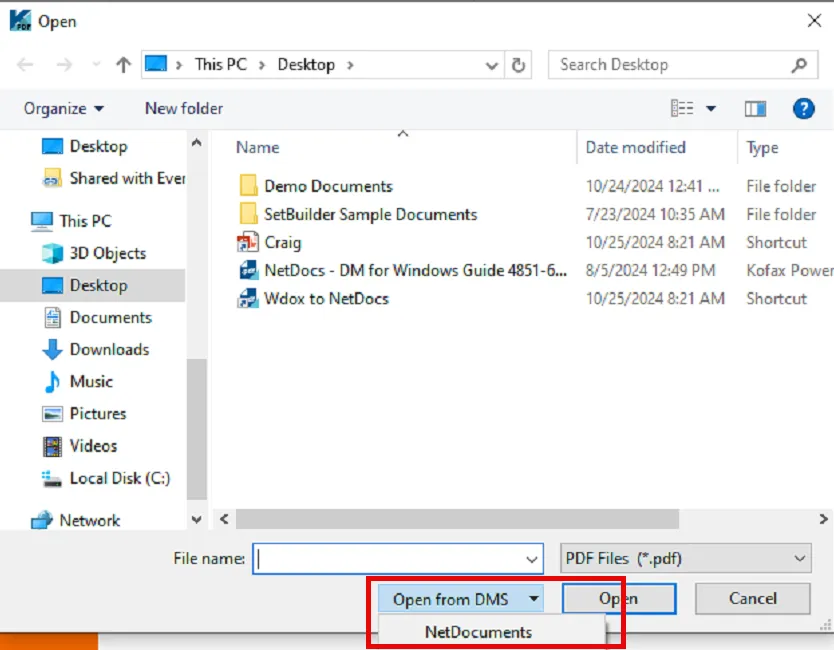
- Connect with Cloud and DMS Integration – OneDrive, Google Drive, Dropbox, and SharePoint.
- User-friendly interface-one familiar, Microsoft Office-style ribbon design for a spontaneous experience.
- Professional equipment-form creations, e-host and support for cooperation facilities were sewn for commercial use.
Why Buy From Us?
- 100% Real License – Authentic Life License Guarantee with Safe Activation.
- Once paid, hidden fees, membership, or recurring costs.
- Instant Digital delivery – Get your license key and download link after purchase.
- Save more than inexpensive pricing-other resellers, or membership-based options.
- Reliable sellers – reliable support and customer service for assistance with installation and setup.
- Experience to buy peace in mind, safety, and trouble.
Redemption Guide:
- Complete your purchase – Once you place your order, you will receive a confirmation email with your license key and download instructions.
- Check your email – make sure you see it in your inbox (and if necessary, for your product details delivery email).
- Download the installer – Click on the safe link provided to download the official KoFax Power PDF Advanced 4 setup file.
- Prepare your system – Turn off any running applications and make sure your PC meets the minimum system requirements.
- Run-Down-Download Setup- Double-Click the file and follow the directed installation wizard.
- Enter the license key – during the setup or at the first launch, enter your unique license key to activate the full version.
- Verify the activation – check that all premium features are unlocked and the software shows as active.
- Register your product (optional) – You can register with Kofax for updates and technical assistance.
- Start using – Making PDF with a lifetime access, editing, converting, and starting to secure.
- Protect your license key – Store your license details in a safe place for future reference or restoration.
Comparison Table:
|
Feature / Benefit |
Kofax Power PDF Advanced 4 (Lifetime) |
Adobe Acrobat Pro DC (Subscription) |
|
License Type |
One-time purchase (perpetual, lifetime use) |
A monthly or yearly subscription is required |
|
Cost Over Time |
Pay once, no recurring fees |
Ongoing payments, higher long-term cost |
|
PDF Editing |
Full editing of text, images, and layouts |
Full editing of text, images, and layouts |
|
File Conversion |
Convert to Word, Excel, PowerPoint, and images |
Convert to Word, Excel, PowerPoint, and images |
|
OCR (Scan to Editable Text) |
Built-in, accurate OCR included |
Built-in, advanced OCR included |
|
Security Tools |
Passwords, encryption, redaction, and digital signatures |
Passwords, encryption, redaction, and digital signatures |
|
Batch Processing |
Yes, create/convert multiple files at once |
Limited compared to Kofax |
|
Cloud Integration |
OneDrive, Google Drive, Dropbox, SharePoint |
Adobe Cloud, OneDrive, Google Drive, Dropbox |
|
Ease of Use |
Familiar Office-style ribbon interface |
Adobe’s proprietary interface |
|
Updates |
Fix packs and patches for the purchased version |
Always updated to the latest version |
|
Best For |
Professionals and businesses who want cost-effective ownership |
Users who prefer continuous updates with subscription flexibility |
Frequently Asked Questions
Does Kofax Power PDF Advanced 4 require membership?
No, this version comes with a license for his life. You can pay for it once and use it forever without extra cost.
Can I install software on more than one computer?
The standard license is for a PC. For many devices, you will need an additional license.
Is it compatible with Windows 11?
Yes, it works smoothly with Windows 10 and Windows 11.
Why should I buy this software from the Element Key?
The element key offers a 100% actual license at a competitive price, ensures safe digital distribution, and provides dedicated support for installation and activation.


Reviews
Clear filtersThere are no reviews yet.