🔑 Software keys sent via WhatsApp or E-mail within 24 hours (1 Day) ! ⏳ If not received, Contact us! ! 📬


 Recently Updated




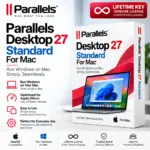
Parallels Desktop 27 Pro for Mac is the program that users need to run Windows or any other operating system on a Mac computer. It lets users run Windows applications with macOS software. Users do not have to restart the computer to switch between the two systems. The software is a choice for people in digital media industries or for those who are doing something creative, such as developing software or applications. They will find Parallels Desktop 27 Pro for Mac useful for business, development, or daily tasks. In addition, the Pro version offers extra functions and features for working with virtual machines.
Key Features:
- Run Windows on your Mac run Windows on your Mac and experience Windows on your Mac.
- Use Windows and Mac applications together use Windows and Mac applications together and enjoy seamless integration.
- Create virtual machines: create multiple virtual machines and manage several systems at once.
- Run supported Linux operating systems run supported Linux operating systems and enjoy Linux tools on your Mac.
- Advanced virtual machine configuration, virtual machine configuration and customize every setting to your preference.
- Up to 32 virtual CPUs, up to 32 CPUs, and achieve powerful performance.
- Up to 128 GB virtual RAM, up to 128 GB RAM, and run memory‑intensive applications with ease.
- Advanced networking options, advanced networking options and tailor your network setup precisely.
- Command-line tools, command-line tools. Control everything from the terminal.
- Developer-focused features, developer‑focused features and build and test efficiently.
- Nested virtualization, nested virtualization and run machines inside other virtual machines.
- Support for development and testing environments support for development and testing environments and create test setups.
- Linked Clone functionality, linked clone functionality and save time by cloning
- Rollback capabilities. Revert changes without hassle.
- Shared folders between Mac and virtual machines shared folders between Mac and virtual machines and share files easily.
- Paste, between operating systems: copy and paste between operating systems and transfer data instantly.
- Drag-and-drop support: drag‑and‑drop support and move items smoothly.
- Professional virtualization environment and work in a stable, polished setting.
Benefits of Parallels Desktop 27 Pro:
- Work Without Switching Computers: You can run Windows programs from your Mac instead of keeping a separate Windows computer.
- Better for Professional Work: The Pro version offers resources and settings for people who use hard-to-handle programs and coding setups.
- Useful for Developers: Developers can set up virtual environments for testing programs, operating systems, software setups, and coding tools.
- Run Multiple Environments: Set up virtual machines for different projects and ways of working without changing your main macOS setup.
- Convenient Mac-Windows Integration: Files, folders, text, and other items can be shared between macOS and your virtual machines for a work process.
Why Buy From Us?
- Genuine License: Get a license or certificate for the Parallels Desktop 27 Pro product that is listed.
- Certificate License: A certificate or license is given when you buy it for your records.
- Digital Delivery: Your license details can be sent electronically, which makes it easy to start the activation process fast.
- Easy Activation: The activation process is simple. Can be done through the Parallels Desktop software.
- Professional Edition: Get the Pro version with virtualization and tools that are good for developers.
- Customer Support: If you have problems while installing or activating, our support team can give you some help.
- Secure Purchase: Your license information is provided directly after the order is completed, based on the store’s delivery rules.
- Cost-Effective Solution: Use Other supported systems on your current Mac instead of buying another computer for each operating system.
Redemption Guide:
- Get Parallels Desktop: Download it. Get the version of Parallels Desktop 27 for your Mac. Check that your device is compatible with the operating system.
- Run the Application: Once the installation is done Parallels Desktop from your Applications folder or, from the Dock.
- Log in: You might need to log in to your Parallels account. The account will let you keep your settings and handle your licenses.
- Enter Your License: When asked, type your license key
- Finish Activation: Do what the prompts say to finish activating. You could be asked to check your email or agree to the terms.
Comparison Table:
| Feature | Parallels Desktop 27 Pro | VMware Fusion Pro |
| Platform | macOS | macOS |
| Run Windows on Mac | Yes | Yes |
| Run Linux | Yes | Yes |
| Apple Silicon Support | Yes | Yes |
| Multiple Virtual Machines | Yes | Yes |
| Windows & macOS Integration | Excellent | Good |
| Run Windows Apps Alongside Mac Apps | Yes | Yes |
| Shared Folders | Yes | Yes |
| Copy & Paste | Yes | Yes |
| Drag & Drop | Yes | Yes |
| Windows Installation | Easy | More Technical |
| Virtual Machine Snapshots | Yes | Yes |
| Advanced VM Configuration | Yes | Yes |
| Advanced Networking | Yes | Yes |
| Command-Line Tools | Yes | Yes |
| Developer Tools | Yes | Yes |
| Nested Virtualization | Yes | Yes |
| Linked Clones | Yes | Yes |
| Rollback Features | Yes | Limited |
| Graphics Support | Excellent | Good |
| Mac Integration | Excellent | Good |
| Ease of Use | Very Easy | Technical |
| Developer Friendly | Yes | Yes |
| Suitable for IT Professionals | Yes | Yes |
| Suitable for Power Users | Yes | Yes |
| Business Use | Yes | Yes |
| Installation Experience | Simple | Moderate |
| Best For | Developers, professionals and power users | Developers and technical users |
FAQs:
Yes, Parallels Desktop 27 Pro is meant specifically for developers, as it allows testing of operating systems and creating an environment for testing applications.
Definitely, Parallels Desktop 27 Pro allows running Windows and macOS simultaneously. You will be able to switch from using one operating system to the other without exiting any applications.
Both Parallels Desktop 27 Pro and Windows will require a license. If the presented product does not come with Windows included, an individual will have to buy a separate Windows license.


Reviews
Clear filtersThere are no reviews yet.