🔑 Software keys sent via WhatsApp or E-mail within 24 hours (1 Day) ! ⏳ If not received, Contact us! ! 📬

AutoCAD LT vs AutoCAD Full Version: Which Should You Buy?

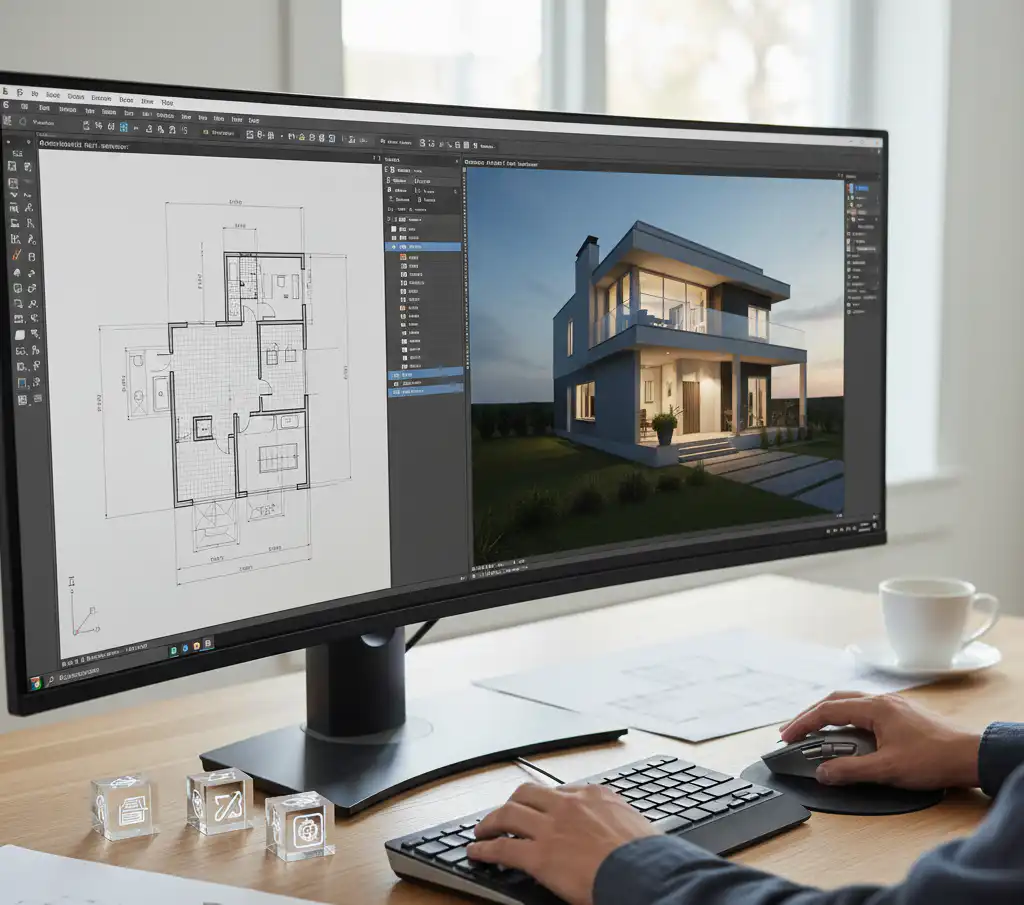
When professionals start or upgrade their Autodesk subscription, one of the most common choices they have to make is whether to get AutoCAD LT or AutoCAD Full. There is a significant difference in price, but there is also a real difference in features. If you choose the wrong version, you will either spend too much on tools you won’t use or limit yourself to tasks that need more.
You can make the right choice before spending any money with this tutorial that clearly explains the difference between AutoCAD LT and AutoCAD Full version. When you’re ready to buy, Elements Keys carries real, commercially licensed AutoCAD subscriptions for both LT and full versions. They send them to you quickly and at a good price, so you know you’re making the right option.
Core Feature Differences
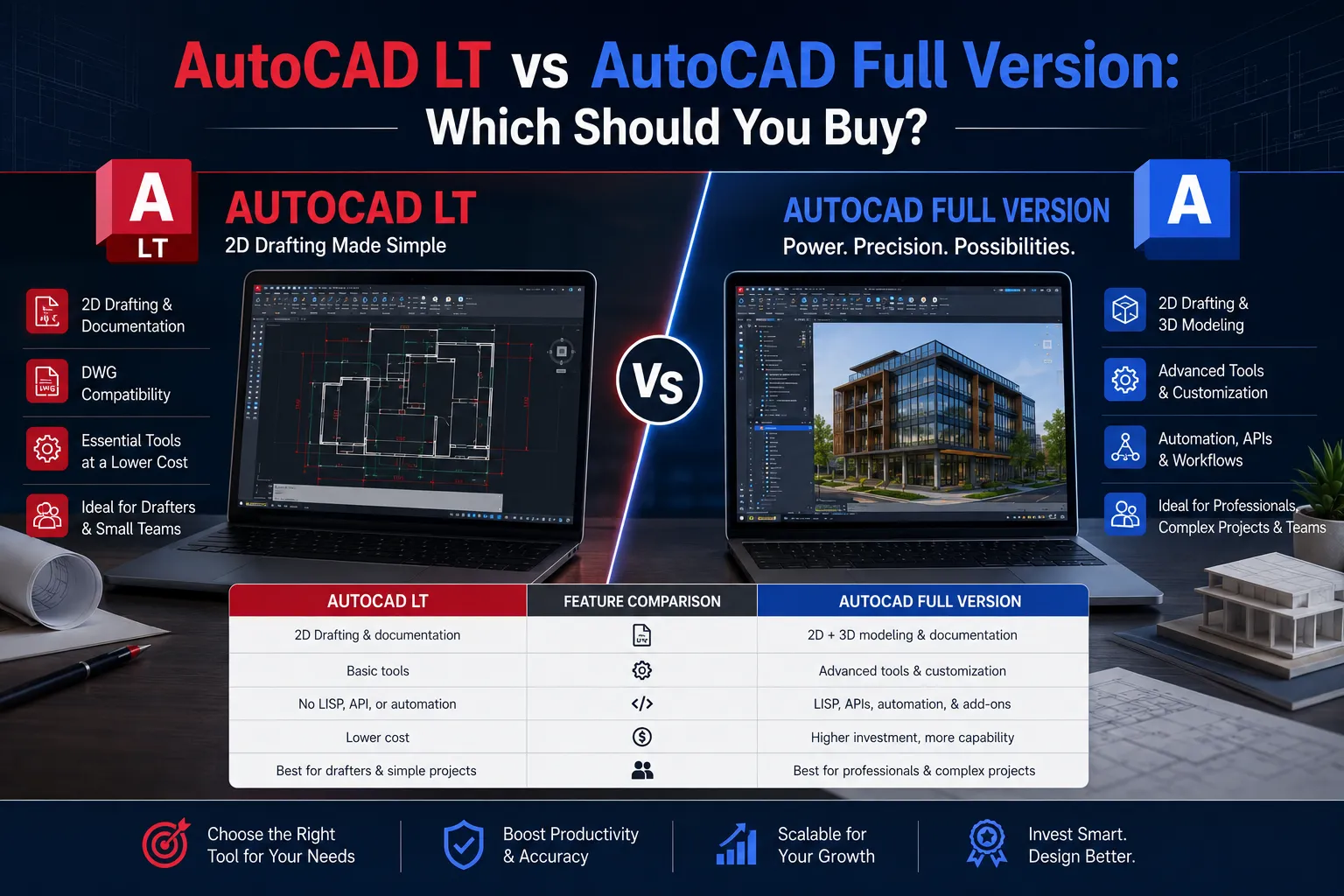
Both AutoCAD LT and AutoCAD Full have the same 2D drafting environment at its core. They all use the same DWG file format and have the same tools for managing layers, adding notes, and setting up layouts. When you open a drawing in LT that was made in AutoCAD Full, it will work without any problems. That’s where the two things are alike.
- AutoCAD Full has everything LT has, plus:
- Specialized discipline toolsets: The entire AutoCAD subscription comes with all of the specialized discipline toolsets, such as Architecture, Mechanical, Electrical, Map 3D, Plant 3D, Raster Design, and MEP. Each toolset adds libraries, commands, and drawing elements that are particular to a certain field and make workflows in that field go much faster.
- API access and customization: AutoCAD Full offers automation with AutoLISP, .NET, and other APIs. You can also customize it. This is really important if your company employs custom scripts or macros to do the same thing over and over again.
- AutoCAD web and mobile apps: Full subscribers can use AutoCAD’s browser-based web app and mobile app to draw and edit from any device.
AutoCAD LT is a 2D drafting application that works well and is easy to use. It can easily handle construction documents, floor plans, elevations, sections, and technical drawings. It doesn’t do anything else, though.
3D Capability: AutoCAD Full Only
This is the most important functional difference between the two versions, and it can’t be changed.
AutoCAD LT can’t make 3D models. You can see 3D content in a drawing file, but you can’t make, change, or move 3D shapes. If your process includes any 3D work, such as solid modeling, surface modeling, 3D visualization, or even basic extrusions, LT can’t perform it.
- AutoCAD Full has a full 3D environment that includes:
- Solid and surface modeling: Use common modeling tools to make and change complicated 3D shapes.
- Mesh modeling: Using mesh elements, you may create organic or freeform shapes.
- 3D navigation and visualization: You can orbit, segment, and generate 3D models right in the app.
- Rendering: AutoCAD Full has a built-in renderer that makes images from 3D models.
It’s important to remember that AutoCAD’s 3D tools are good, but they can’t replace 3D software like Revit, Inventor, or 3ds Max. Those tools are still the best for complicated 3D projects in architecture or mechanical design. AutoCAD Full works effectively for users who only need 3D capabilities sometimes in a mostly 2D process. They don’t need to utilize a separate application.
If there’s even a small chance that your work will need 3D at some point, LT is not a good choice.
Price Gap Analysis
Autodesk charges both versions as annual subscriptions, although the fees are quite different.
AutoCAD LT has a reduced annual membership price, which makes it easier to get started. AutoCAD Full costs a lot more each year; however, that gap gets a lot less when you think about what’s included.
Here’s the key background: complete AutoCAD comes with seven specialist toolsets that you would have to buy or subscribe to separately. The Architecture toolset alone is quite useful for an architect. The Mechanical toolset’s parts library and drawing tools that follow standards are worth a lot more to a mechanical engineer than the price difference between LT and full.
When you look at the pricing per feature, AutoCAD Full is typically a better deal for professionals who specialize in a certain field, not simply people who need 3D.
Elements Keys shows AutoCAD LT and complete AutoCAD subscriptions with clear prices and no hidden fees. This way, you can see the most up-to-date prices for both versions. You can get multi-year memberships, which usually have better pricing each year than rolling annual plans.
Who Needs LT vs AutoCAD Full?
- AutoCAD LT Is the Right Choice If:
- You only work in two dimensions. LT has everything that drafters, architectural technicians, and documentation specialists need to make 2D construction drawings, shop drawings, or technical sheets.
- You don’t require toolsets that are specialized to your field. If the Architecture, Mechanical, or Electrical toolsets don’t help your workflow, you won’t lose anything important by choosing LT.
- The main limit is the budget. LT is a great deal for small businesses, freelancers, or solitary practitioners who require a good drafting program but don’t want to pay the full price for AutoCAD.
- You don’t need to automate things. If your team doesn’t employ custom scripts, macros, or API-driven workflows, it doesn’t matter if LT doesn’t have API access.
- AutoCAD Full Is the Right Choice If:
- You need to work in 3D. If you deal with 3D, you require AutoCAD Full. No exceptions.
- You work in a certain field. Architects, mechanical engineers, electrical engineers, GIS specialists, and plant designers should really think about getting a complete AutoCAD just for the toolsets that come with it.
- You need special scripts or plugins. Companies that have paid for AutoLISP routines or .NET modifications need the full version.
- You want to be able to access it from any device. The complete version of AutoCAD comes with web and mobile apps that are quite helpful for looking at and changing drawings on the fly or on-site.
- You’re making sure of your future. If your work is likely to grow into 3D or other fields, it’s best to start with AutoCAD Full so you don’t have to switch later.
Student and Educational Options
Through the Autodesk Education Community, Autodesk lets eligible students and teachers use AutoCAD LT and complete AutoCAD for free. People who qualify for educational licenses can use the entire commercial software for free, including all of AutoCAD’s 3D tools and toolsets.
For students, this choice between LT and Full is easy: they may get AutoCAD Full through the education program, learn how to use all of its tools, and then decide on a commercial license based on their real professional demands.
- Here are a few crucial things to know about educational licenses:
- You can’t utilize it for business. Educational licenses are only for schoolwork and learning. Using them for paid work goes against Autodesk’s rules and could get your license revoked.
- They are not the same as commercial licenses. If you want to use it for business or professional purposes, you need a commercially licensed subscription.
- The skills move. There is no learning curve when moving from the educational version to the commercial edition; everything learned in the educational version applies to the commercial version.
When it’s time for students and new graduates to move into professional jobs, Elements Keys is a good place to get cheap commercial AutoCAD subscriptions. You can choose between annual and multi-year plans, and you can get them right away so you can start using them right away.
Conclusion
The differences between AutoCAD LT and the AutoCAD Full version are 3D capability, discipline-specific toolsets, and the flexibility to customize. If none of those things applies to your work, LT is a good, cheap option that does 2D sketching without any problems. If any of them are important to your work, especially 3D, you should buy AutoCAD Full.
The integrated toolsets in complete AutoCAD are worth the extra money for most professionals who work in architecture, engineering, or any other technical design field. LT gives devoted 2D drafters all they need at a lesser cost if they know their process won’t change.
Are you ready to buy? Elements Keys sells real, commercially licensed AutoCAD LT and AutoCAD Full subscriptions. They provide them right away by email, have a secure checkout, and are available 24/7 for help. Check out the different AutoCAD solutions at Elements Keys and obtain the perfect one for your business right away. No waiting, no problems, just software that works in your email.