🔑 Software keys sent via WhatsApp or E-mail within 24 hours (1 Day) ! ⏳ If not received, Contact us! ! 📬

Where to Buy an AutoCAD Software License Online for Commercial Use

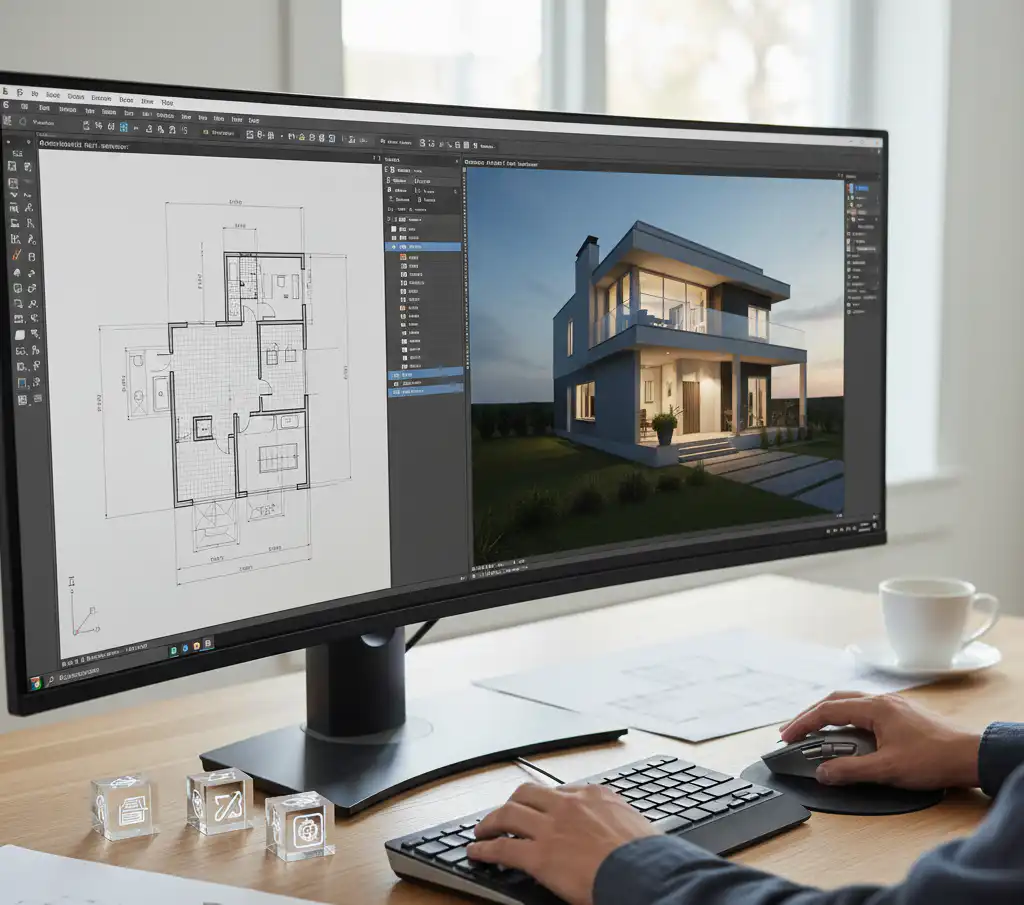
Architects, engineers, construction workers, product designers, and drafters all around the world still use AutoCAD as the best computer-aided design program. AutoCAD is a type of computer-aided design (CAD) software that lets you create accurate 2D and 3D drawings, designs, and models with solids, surfaces, and mesh objects. It has tools that can help you get more done and automate chores like comparing drawings, counting, adding objects, and making tables. It also includes seven toolsets for specific fields, such as creating electrical design, plant design, architectural layout drawings, MEP layouts, mechanical design, 3D mapping, and raster image conversion.
This tutorial tells you all you need to know about buying a commercial AutoCAD license online, from where to get it from official sources and authorised resellers to the many types of licenses, their prices, and what to look out for.
What Does a “Commercial License” Mean for AutoCAD?
It’s crucial to know what a business licence is before you start looking for places to buy. Users who have an Educational license or subscription can only utilise free Autodesk software and cloud-based services for educational purposes. They cannot use them for business, professional, or any other for-profit purpose. This means that if you use AutoCAD to run a business, bill clients, or make money in any other way, you need to buy a commercial AutoCAD license, not a student or trial edition.
Autodesk no longer sells permanent (perpetual) licenses for most of its software, including AutoCAD. Instead, it now sells subscriptions. You can get a subscription for a month, a year, or several years. It comes with frequent updates, technical support, and cloud services.
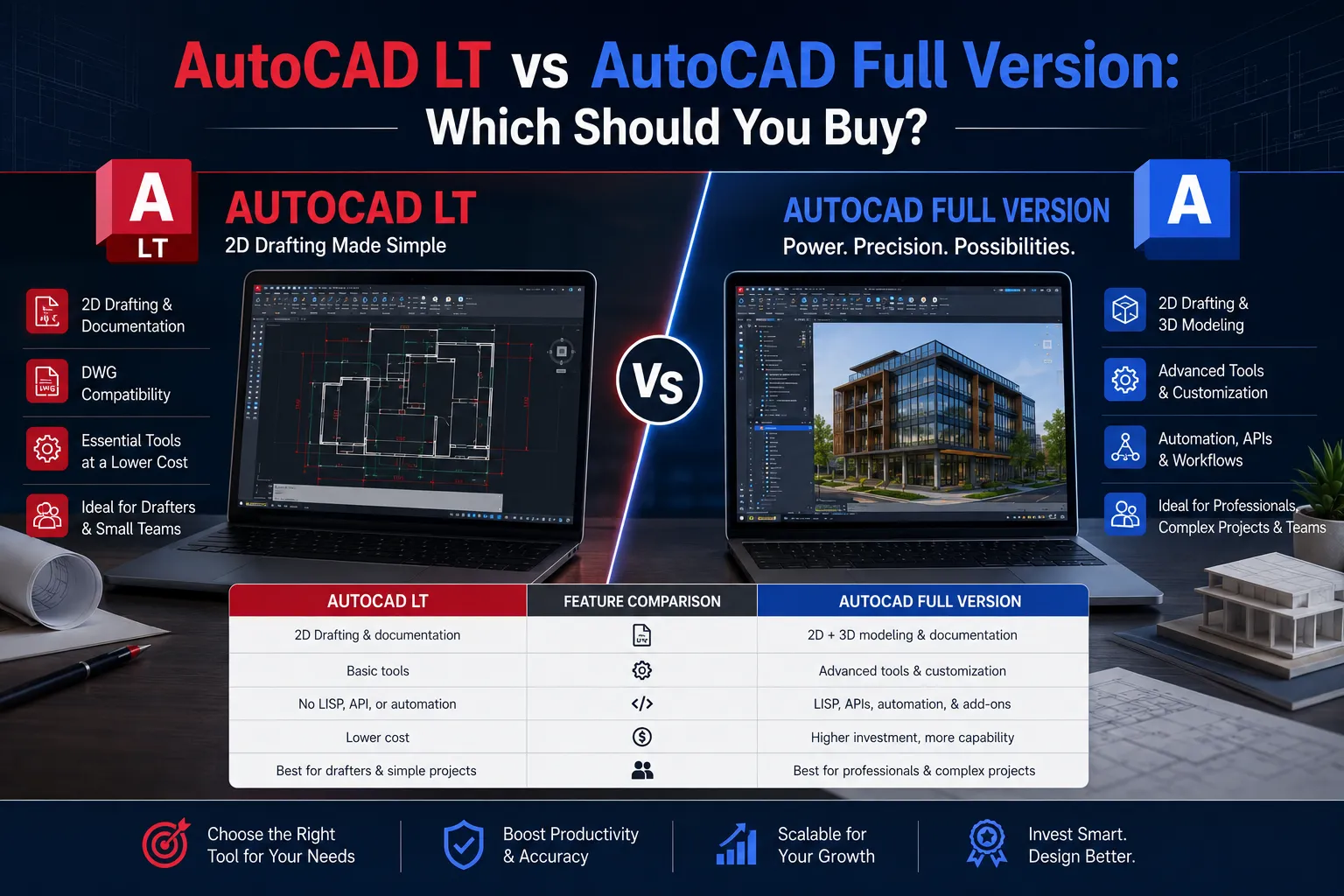
AutoCAD vs. AutoCAD LT — Which One Does Your Business Need?
Choosing between AutoCAD and AutoCAD LT is one of the first choices you’ll have to make.
AutoCAD LT is a strong 2D CAD program that is great for making accurate drawings and documents. AutoCAD has all the capabilities of AutoCAD LT, plus more to help you get more done, like 3D modelling and automating tasks that you do over and over again. You may also change the user interface in AutoCAD with APIs and add-on apps.
AutoCAD has seven toolsets for different industries that help people work more efficiently. These toolsets help with jobs including architecture, mechanical design, electrical design, plant design, plumbing, converting raster pictures, geographic information systems, and 3D mapping.
If all you need to accomplish is 2D drafting and documentation, AutoCAD LT is plenty and costs less. You need the entire AutoCAD if you need to do 3D modelling, automate tasks, write scripts with APIs, or use specialised industry tools.
Understanding AutoCAD Commercial Licensing Types
Autodesk has several different license options for businesses. Knowing the differences can help you pick the one that works best for your team.
Named User (Single-User) Subscriptions
Online subscriptions are for one user only. Each subscription seat can only be accessed, activated, and used by one person. Users can’t share a seat, but you can buy extra stand-alone licenses and give those seats to different users. Most people and businesses who buy things online use this strategy.
Autodesk Flex (Pay-Per-Use Tokens)
With an Autodesk subscription, you can easily get to products and industry collections. With Flex, you can get to products with pre-paid daily tokens. This lets you pick the best option for your business needs. Flex lets you share a pool of tokens to make it easier to manage users and deal with changes in software needs or staff levels. It also lets you set up default group assignments.
If you buy tokens in bulk through Autodesk Flex, they will expire 12 months after you buy them. When you open an app, the value of the token that is linked to that app’s license will be taken out of your pool of tokens. The license will be “paid for” for 24 hours. It’s basically a licence that you pay for each time you use it. This is great for organisations that just need CAD users sometimes or part-time.
Enterprise Agreements and Token Flex
Autodesk has enterprise-level plans for big companies. With an Enterprise Business Agreement (EBA), you can provide an infinite number of people access and assign them to work at a flexible daily fee for three years. These are also called Token Flex licenses. With an EBA, you can buy a certain number of tokens, and every time a user uses an app, it uses up tokens.
The End of Multi-User (Network) Licenses
It’s vital to remember that the old model of a multi-user concurrent license is no longer available. Autodesk has completely switched to a named-user subscription model; they no longer sell or renew the old multi-user license for AutoCAD. Companies that used to employ floating network licenses must either buy individual named-user seats or switch to the Autodesk Flex token model.
Subscription Term Options
AutoCAD subscriptions can be for short-term projects with a 1-year duration or long-term projects with a 3-year term. A 1-year or 3-year subscription will save you 33% off the monthly fee. If you choose a 3-year term, you won’t have to worry about price rises for 3 years. Paying per month is easy and gives you options.
So, there are three different term lengths to choose from:
- Monthly: It provides more freedom, but costs more every month.
- Annual: It is the most popular business option and costs 33% less than monthly.
- 3-Year: It gives the greatest long-term value, prices are locked in, and it’s great for firms that have been around for a while.
Where to Buy AutoCAD Online for Commercial Use
1. Autodesk’s Official Website (autodesk.com) — The Trusted Source
Buying straight from Autodesk is the safest and fastest approach. You may sign up for any of Autodesk’s most popular products immediately on their website. You can install subscription software on up to three devices, but only the person who signed up can use it on one device at a time.
- When you buy from Autodesk directly, you get:
- Licensing that is guaranteed to be real
- Direct access to Autodesk help
- Automatic renewals can be managed at manage.autodesk.com, and they are activated right away.
Visit: autodesk.com/products/autocad/overview
2. Elements Keys (elementskeys.com) — Best Online Store
Elements Keys is a reliable place to buy your AutoCAD commercial license online in a way that is easy and stress-free. Elements Keys sells real AutoCAD LT 1-Year Commercial Licenses in a simple, easy-to-follow way:
- After you buy, you get the licence details right away by email or WhatsApp.
- Just give your registered Autodesk email address, and the license will be added to your Autodesk account.
- You get the software directly from Autodesk’s servers, not from any other site.
- Log in with your Autodesk account to activate right away.
Elements Keys makes buying things easy, which is great for small businesses and professionals who want a quick, reliable experience without going through long enterprise processes.
Visit: elementskeys.com
3. Autodesk Authorised Resellers
Autodesk has a network of approved partners worldwide who can help firms with volume pricing, enterprise agreements, or region-specific sourcing. The official Autodesk Partner Finder tool at autodesk.com/partners/locate-a-reseller can help you identify a verified reseller in your area. Before you buy something, always check to see if the reseller is authorised.
What’s Included in a Commercial AutoCAD Subscription?
You can use AutoCAD for Windows and Mac, AutoCAD Web (formerly the AutoCAD Web App and AutoCAD Mobile App), and the industry-specific Architecture toolset, Electrical toolset, Map 3D toolset, Mechanical toolset, MEP toolset, Plant 3D toolset, and Raster Design toolset (Toolsets are only available on Windows).
Your AutoCAD subscription also lets you install and use the three most recent versions of AutoCAD. This is especially helpful when working with clients or partners who may be using outdated versions.
With a commercial membership, you also get 25GB of cloud storage on Autodesk Docs, complete technical support, automatic upgrades for the length of the subscription, and access to older versions if you need them.
Pricing Overview
The price of an AutoCAD membership depends on where you live and how long you want it to last. There are three pricing plans for AutoCAD, with the lowest one starting at $245. You can try it out for free.
Businesses in India can get AutoCAD LT (2D only) for 29,500 per year per licence (not including 18% GST). The full AutoCAD with specialised toolsets costs 1,01,900 per year per licence (not including 18% GST), and is billed once a year.
As of September 2025, the annual subscription for Australian businesses costs about A$266 per month (A$3,195 for 1 user per year), the monthly subscription costs A$395 per month, and Autodesk Flex tokens cost A$460 for 100 tokens, with AutoCAD using 7 tokens per day per user. Prices do not include GST.
Rates change, and there may be special deals in your area, so always check the official Autodesk website for the most up-to-date prices.
How to Purchase: Step-by-Step
- You can go to autodesk.com or elementskeys.com to purchase the software.
- Pick your product: AutoCAD (complete) or AutoCAD LT (2D only).
- Choose your term: 1 month, 1 year, or 3 years.
- Make an account or log in to one you already have. This is where your license will be.
- Complete Payment — These sellers take major credit and debit cards as well as various regional payment methods.
- Download and install your software.
- To activate your subscription, sign in with your account information.
You can return annual and multi-year subscriptions within 30 days, and monthly subscriptions within 15 days.
Tips for Businesses: Choosing the Right Plan
- For employees who use AutoCAD every day, a 1-year or 3-year named-user subscription is the best deal.
- Users who don’t use it often—Autodesk Flex is great for apps that aren’t used very often and for users who just need it once in a while, because you only pay for the time you utilise the license.
- For mixed teams, a hybrid configuration is a good choice for many companies. Core personnel who use AutoCAD every day can keep their named-user subscriptions, while contractors or part-time workers can use Autodesk Flex.
- If you’re a big company, you can talk to Autodesk directly or through an authorised reseller to get an Enterprise Business Agreement with Token Flex.
What to Avoid: Pirated and Unauthorised Licenses
A very important warning for business buyers: buying AutoCAD licenses from unapproved, unconfirmed sources is a big risk for compliance and the law. Some individuals say that selling AutoCAD licenses online for very low costs is a bad idea because the licenses are probably bogus and can cause big problems during audits.
If you use pirated or illegal licenses, your firm could be subject to software audits, legal penalties, malware threats, and loss of Autodesk support. You should always check that the vendor is identified as an Autodesk Authorised Reseller on Autodesk’s official Partner Finder at autodesk.com/partners/locate-a-reseller.
Conclusion
If you know where to look, it’s easy to buy an AutoCAD commercial license online. Buying directly from Autodesk at autodesk.com is always the safest option. This confirms that the product is real, gives you full access to support, and makes it easy to manage your account. Authorised resellers and regional partners also give more options for buying, volume pricing, and support in your area.
Pick the plan that fits how your team really works: annual named-user subscriptions for full-time employees, Autodesk Flex tokens for people who use the software occasionally, and enterprise agreements for large companies. AutoCAD subscriptions let you work on desktop, online, and mobile devices, so your team can stay connected no matter where they are.
Getting a genuine commercial AutoCAD licence is not only a legal requirement but also the key to your business’s reliable, uninterrupted design work.